Auto-Upload your Zoom Recordings
to
Rated 5.0 stars on G2 and TrustPilot.
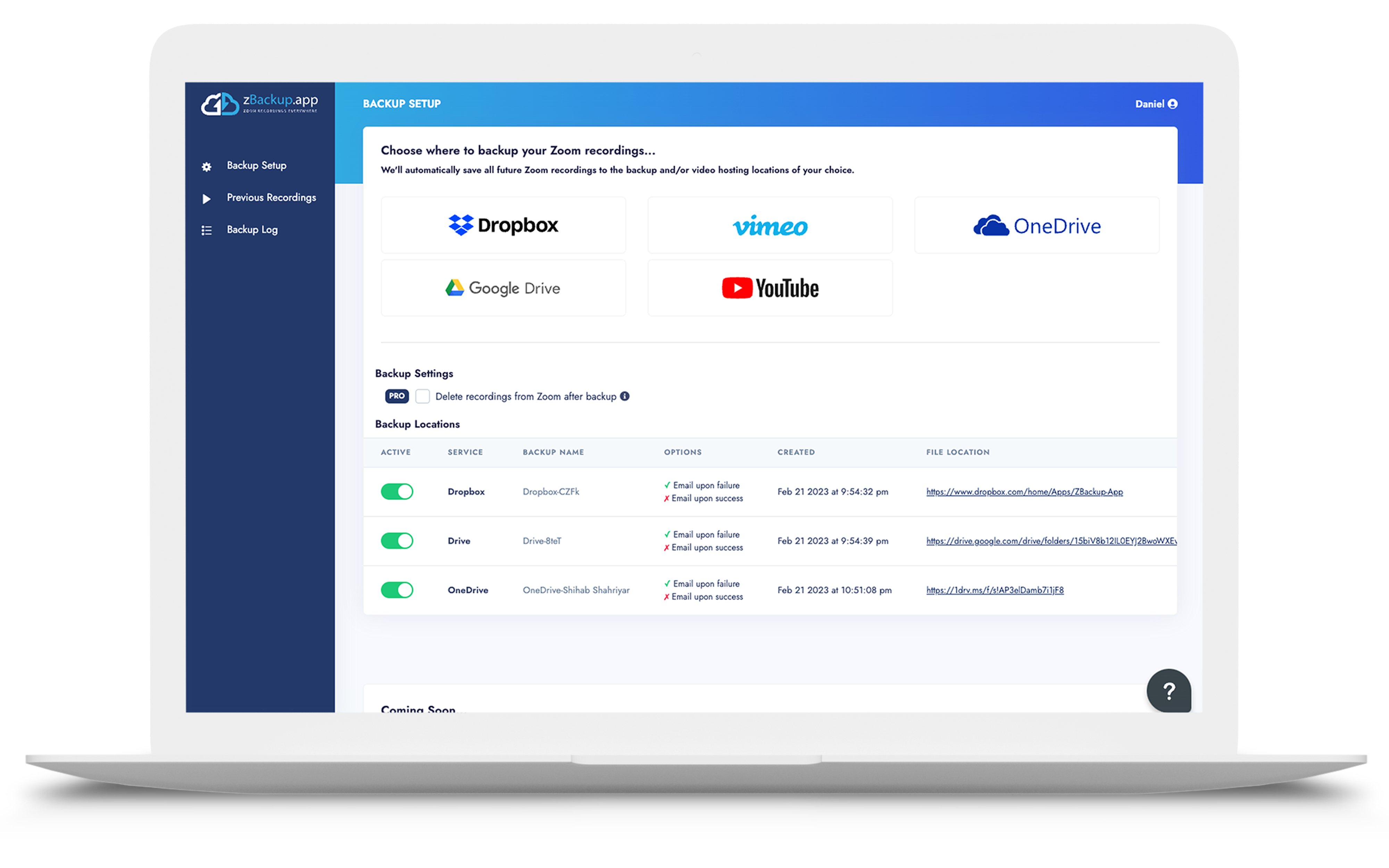
Set up zBackup.app once and it will automatically sync every Zoom recording to:
Google Drive, Dropbox, OneDrive, Youtube, and/or Vimeo.
View video
Why use zBackup.app?

Prevent "Out of Storage" Notifications
zBackup.app can (optionally) delete any backed up recordings.
-

The platform was easy to setup and is amazing. We have the ability to save all our Zoom recordings and no longer worry about getting emails daily about us going over our Zoom storage limit. Amazing platform and super easy to use.
Jeff W. G2 Review - Mid-Size Financial Services CEO
-

Setup is no brainer. You login, pay with credit card, pick your service.. one click.. all done! It used to take hours to download the video onto local machine, then upload to Google Drive. Plus working remotely, it would go against Comcast allotted data service [when I wasn't using zBackup].
Shan A. G2 Review - Enterprise User
-

zBackup has revolutionized my ability to publish cleaned up recordings of Zoom meetings. I'm now publishing videos for team members to use in minutes instead of days. As soon as my Zoom session recording is loaded to the Zoom cloud, I get a message from zBackup telling me that zBackup has automatically loaded the Zoom recording to my Google Drive! From there it is a few clicks on Wondershare (the video editor I use) to start editing!! Awesome!
John C. G2 Review - Religious Institution President
-

The zBackup tool is an excellent, efficient tool to sync Zoom recordings to Google Drive which is a vital thing to be done especially in e-learning environment which was obligated on us due to pandemic COVID-19. The recordings are transmitted to Google drive with its time stamp...
Qutoof Online School, Egypt Trustpilot Review
-
Most of my day is spent on Zoom with my coaching clients. Before this app my biggest admin task was manually uploading meeting recordings into Vimeo and Google Drive to give my clients access. This app gives me more time to spend where it matters. Highly recommended!
Colin S., UK Trustpilot Review
-

What I like best is how quickly my videos are copied over to the app from Zoom. I do not even have to think about it. It has helped us to streamline our process and lightened the burden for those on my team.
Shannon A. G2 Review - Real Estate VP
Start backing up Zoom recordings automatically.
A Growing List of Integrations.
zBackup is your one source to transfer your Zoom video recordings to multiple cloud destinations at any of our partners.




Don't see a destination or want to suggest one? Sign into the app and vote for which one you want next.
Set up once. Secure your recordings forever.
Setting up zBackup.app to upload your Zoom recordings is simple and takes less than 2 minutes.
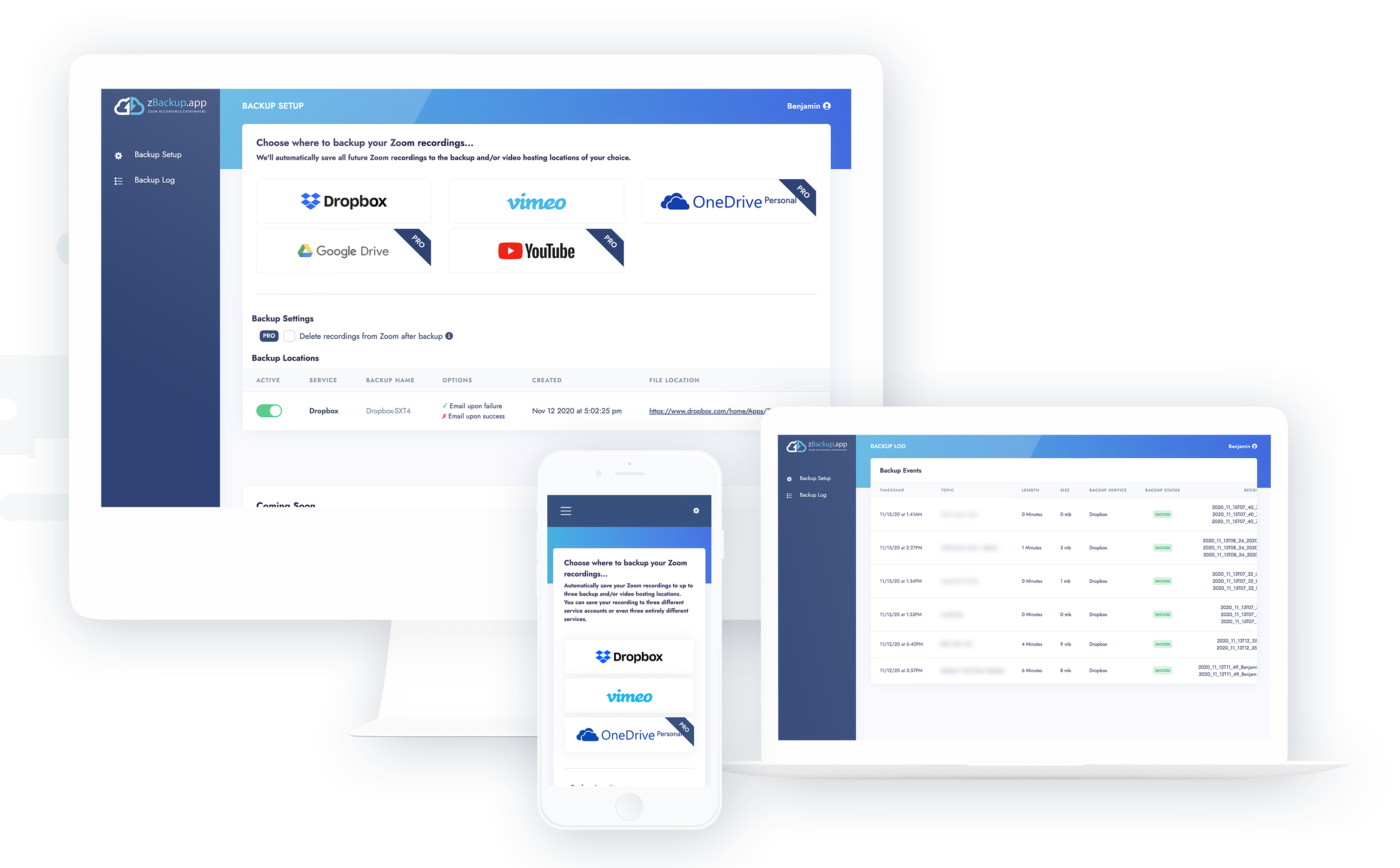
1. Link Accounts
Connect zBackup.app to your Zoom and Cloud Storage accounts.
2. Select Users & Destinations
Pick where to upload your recordings to and for which Zoom users.
3. Settings
Use our default settings or customize your notification, filtering, and deletion settings.
Simple, all-inclusive pricing.
USD billed monthly
- Easy one-time setup
- Unlimited backup integrations
- 150 Recordings Per Month
- Support Portal & Knowledgebase
- Upload to any app
- Free up space after backup
USD billed annually
- All of the monthly plan features with increased limits:
- 200 Recordings Per Month
- 1,000 Recordings for one-time transfers
Due to the increased transfer limits, there is no free trial available for annual plans.
Get StartedDo you have multiple users? See
zBackup for Multiple Users.
Have a special request for the chef? Learn more about our
Custom Zoom Integrations.